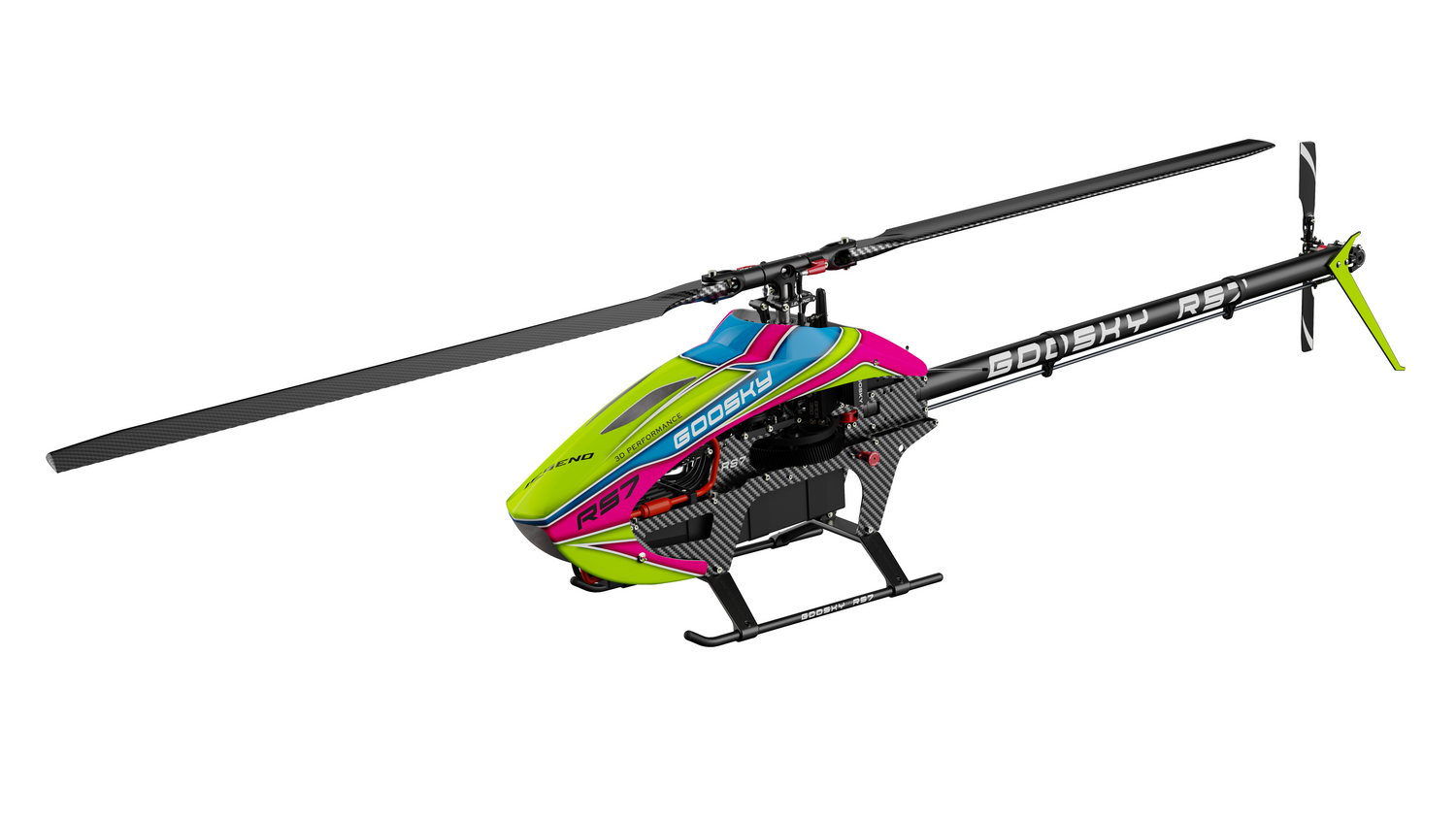

Goosky S1 / S2 Binding, Setup & Factory Reset Guide
This guide explains how to bind the Goosky S1 and S2 helicopters to different transmitters and how to perform a factory reset of the flight controller.
⚠️ Before You Begin
- Remove the main blades for safety.
- Ensure the helicopter battery is fully charged.
- Throttle stick should be at minimum.
- Enable Throttle Hold if available.
Supported models: S1 V1, S1 V2, S2 V1, S2 Max
Bind Button Locations by Model
Identify your helicopter model below before starting. The bind/reset button location differs slightly between versions.
Goosky S1 V1

Bind/reset button circled
Goosky S1 V2

Bind/reset button circled
Goosky S2 V1

Bind/reset button circled
Goosky S2 Max

Bind/reset button circled
The bind/reset button is used for both binding and factory reset. Be sure you are pressing the correct button for your model.
Binding with the Stock Goosky T8 Transmitter
The included Goosky T8 transmitter uses a quick bind procedure directly from the flight controller button.
- Power on the transmitter.
- Power on the helicopter.
- Locate the bind button on the flight controller.
- Press the bind button quickly three times.
- The receiver will enter bind mode and link with the T8 transmitter.
Binding with Futaba S-FHSS or Multi-Protocol Transmitters
If you are using a different transmitter such as Futaba or a radio with a multi-protocol module (Radiomaster, FrSky, Jumper, etc), the binding procedure is slightly different.
- Set your transmitter protocol to Futaba S-FHSS.
- Power off the helicopter.
- Press and hold the bind button on the flight controller.
- While holding the button, power on the helicopter.
- Continue holding the button for approximately 3–5 seconds.
- Release the button once the receiver enters bind mode.
- Initiate the bind function on your transmitter.
Futaba transmitters with S-FHSS protocol
Radiomaster radios with multi-protocol module
FrSky radios with multi-protocol module
Jumper transmitters
How Head Speed and Flight Modes Work
The Goosky S1 and S2 do not use a dedicated flight mode channel. Head speed is determined entirely by the throttle signal on CH3.
Most transmitters use a flight mode switch (Normal, IdleUp1, IdleUp2), but this switch simply changes the throttle curve sent to the helicopter. The throttle value received on CH3 determines the rotor head speed.
Normal Mode
0 – 40 – 60 – 60 – 60
IdleUp1
65 – 65 – 65 – 65 – 65
IdleUp2
75 – 75 – 75 – 75 – 75
Higher throttle percentages result in higher rotor head speed.
Using the Goosky T8 RTF Transmitter
The included Goosky T8 transmitter provided with many RTF kits is a non-programmable radio. The throttle curves and head speed profiles are preconfigured and cannot be adjusted.
The Goosky T8 transmitter does not allow editing throttle curves. Head speeds for Normal, IdleUp1, and IdleUp2 are fixed by the transmitter firmware.
To customize head speed or throttle curves, you must use a programmable transmitter such as Radiomaster, Futaba, FrSky, Jumper, or other radios capable of transmitting the Futaba S-FHSS protocol.
Reference Channel Mapping (S1 / S2)
CH2 — Elevator
CH3 — Throttle (Head Speed via Throttle Curves)
CH4 — Rudder
CH5 — Stability / POSE Mode
CH6 — Collective Pitch
Factory Reset (Flight Controller Default Settings)
If configuration issues occur, the flight controller can be reset back to factory defaults.
- Power on the helicopter.
- Locate the flight controller bind button.
- Press the button quickly 10 times.
- The flight controller will reset to factory default settings.
A factory reset will restore all original settings including trims and calibration values. You may need to re-bind the helicopter and re-check servo alignment afterward.
Beginner Tuning Recommendations
New pilots may find the factory flight controller settings very responsive. Reducing the agility and pitch range can make the helicopter easier to control while learning basic hovering and orientation.
Connecting to the Goosky Configuration App
- Install the Goosky mobile app on your smartphone.
- Connect the Bluetooth module to the helicopter flight controller.
- Power on the helicopter.
- Open the Goosky App and connect to the helicopter.
- Navigate to the Parameter Tuning section.
Reduce Speed and Agility for Aileron, Elevator, and Rudder
For beginner pilots, reducing the Speed and Agility parameters will make the helicopter feel smoother and less aggressive.
AILE Speed: 50 → 25
AILE Agility: 50 → 25
ELEV Speed: 50 → 25
ELEV Agility: 50 → 25
RUDD Speed: 50 → 25
RUDD Agility: 50 → 25
These adjustments reduce how quickly the helicopter rotates and how aggressively it responds to stick inputs.
- Speed controls the rotation rate commanded by the gyro.
- Agility controls the amount of stick input mixed with the gyro signal (feed-forward), affecting how direct or sensitive the controls feel.
Reducing Collective Pitch Range
Another helpful adjustment for beginners is reducing the overall pitch range. This decreases how sensitive the helicopter feels when using the collective stick.
Default setting:
50 / 0 / 50 (Minimum / Center / Maximum)
Beginner recommendation:
35 / 0 / 35
In the Goosky app, these values are shown as:
- - Minimum pitch
- 0 Center pitch
- + Maximum pitch
Setting the Center (0°) Pitch Correctly
Before adjusting the minimum and maximum pitch values, the center pitch must be verified to ensure the blades are at 0° pitch.
This can be done using either of the following methods:
- Digital pitch gauge placed on the rotor blade.
- Blade alignment method: fold both blades inward and adjust the center pitch slider until the blade tips align as closely as possible.
Always adjust the center (0°) pitch first. Once the blades are confirmed to be at zero pitch, adjust the minimum and maximum pitch limits.
Troubleshooting
Helicopter will not bind
Confirm the transmitter protocol is set correctly. The Goosky S1 and S2 use the Futaba S-FHSS protocol when binding to third-party transmitters.
If using a multi-protocol radio (Radiomaster, FrSky, Jumper, etc.), select:
Protocol: Futaba
Subtype: S-FHSS
Bind mode does not activate
Ensure the correct bind method is used for your transmitter.
- The Goosky T8 RTF transmitter uses the three quick press method.
- Futaba S-FHSS and multi-protocol radios use the power-on + hold bind button method.
If bind mode still does not activate, power cycle the helicopter and repeat the binding procedure.
No response after binding
Power cycle both the helicopter and transmitter, then reconnect the battery. If the problem continues, repeat the binding procedure.
Controls reversed or incorrect
Verify the transmitter model settings and channel mapping.
CH1  Aileron
CH2  Elevator
CH3  Throttle
CH4  Rudder
CH5  Stability / POSE Mode
CH6  Collective Pitch
Flight mode switch does not change rotor RPM
Head speed is controlled by the throttle curve on CH3. If all flight modes use the same throttle curve, the helicopter will run at the same head speed.
Stability / POSE mode switch does not work
Ensure a transmitter switch is assigned to CH5, which controls the stability / POSE mode.
Helicopter spools up immediately when the battery is connected
Some Futaba S-FHSS transmitters and multi-protocol radios output the throttle channel in reverse compared to what the flight controller expects.
In these cases:
Throttle channel value

+100 = Low throttle
-100 = High throttle
This can cause the helicopter to run at full speed even when the throttle stick is low or throttle hold is enabled.
Solution:
Reverse the Throttle (CH3) channel in the transmitter.
Additional Tips
- Binding only needs to be performed once. The receiver stores the transmitter ID and will reconnect automatically on future power-ups.
- If switching transmitters, the helicopter must be rebound.
- Always perform binding on a flat, stable surface.
- Remove the main blades during setup. Removing the blades improves safety while binding, configuring, or adjusting settings.
Always remove the main blades when performing configuration, binding, or tuning adjustments.
Support resources for Goosky helicopters, Rotorflight setups, and RC electronics.
© 2026 New England RC LLC. All rights reserved.
This guide may not be reproduced, copied, or republished on other websites or commercial platforms without permission. Please link to the original article instead of copying the content.