


OMP Hobby
OMPHOBBY 8.4V Backup Capacitor – OSHM7185
OMPHOBBY 8.4V Backup Capacitor – OSHM7185
Out of stock
⚡ Ships Fast from Massachusetts
Couldn't load pickup availability
- Ships from USA
- RC Specialists
- Local Pickup
OMPHOBBY 8.4V Backup Capacitor
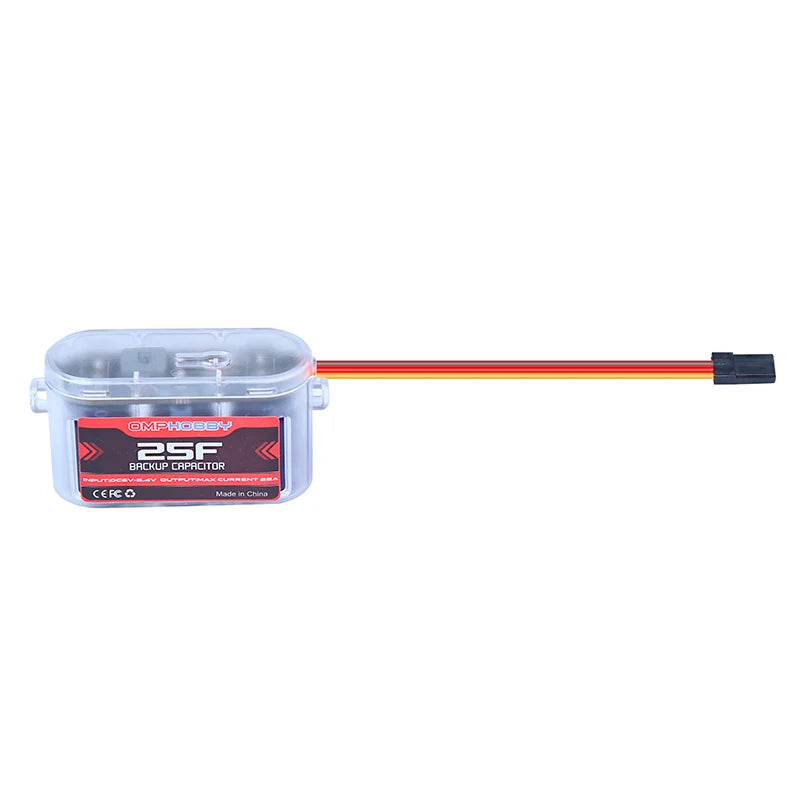
The OMPHOBBY 8.4V Backup Capacitor provides an emergency backup power source for RC aircraft receiver and flight-control systems.
If the aircraft’s primary receiver power supply fails during flight, the backup capacitor automatically supplies power to the receiver and servos, helping the pilot maintain control and safely land the aircraft.
Key Features
- Emergency backup power for RC aircraft receiver systems
- Supports operating voltages from 6V to 8.4V DC
- Maximum output current of 25A
- Automatic charging after startup self-test
- Physical push-button control
- Optional throttle-signal control
- LED charging and status indicators
Specifications
- Input Voltage: 6V to 8.4V DC
- Maximum Output Current: 25A
- Control Methods: Push button or throttle signal
- Supported Throttle Frequency: 50Hz to 600Hz
- Part Number: OSHM7185
Control Methods
Push-Button Control: The backup capacitor can be activated or deactivated using the physical switch button.
Throttle-Signal Control: The orange signal wire can be connected to a receiver channel. A signal value above 1500 activates the backup power system. A signal value below 1500 deactivates it.
Throttle-Signal Startup and Shutdown
- Startup: Set the assigned throttle-channel value above 1500 before powering on the aircraft.
- Shutdown: Set the assigned throttle-channel value below 1500 to deactivate the backup capacitor.
LED Status Indicators
After connecting the backup capacitor to the receiver, the red LED flashes for approximately three seconds while the system performs its self-test.
Once the self-test is complete, charging begins automatically. The three blue LEDs flash in sequence during charging. When all three blue LEDs remain illuminated, the backup capacitor is fully charged.
Important Charging Information
Pressing the switch button while the backup capacitor is charging will not interrupt or change the charging process. After the backup capacitor has powered down, the system can be turned off using the switch button.
Image Notice
Product images are for illustration purposes. Some images may show the visually identical 12V version of this product. The 8.4V and 12V versions look the same except for the information printed on the product label.
Share